SettingsWho you are, how you work, what your plan includes.
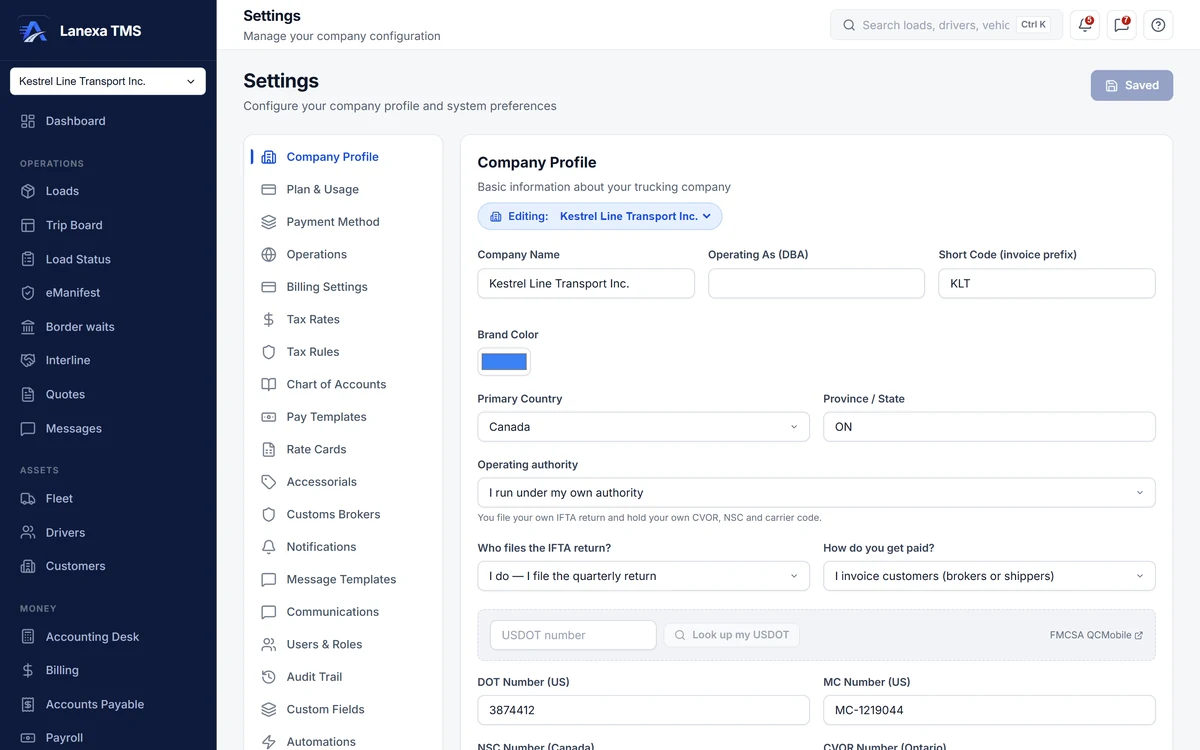
Settings is where a carrier tells Lanexa who it is and how it works — authority numbers, tax rules, rate cards, pay and message templates, roles — and every other module reads it, so your paperwork carries your identity and your defaults.
What it does
Your identity on every document
Legal name, DBA, DOT and MC or NSC and CVOR numbers, address, logo, remit-to address, invoice footer and an invoice number pattern. Look up your USDOT record to fill the profile — unless you run leased on to another carrier, in which case the lookup is not offered.
Documents in French or English
Choose the language your generated invoices, BOLs and PODs are written in — French for Québec's Bill 96, or English — on every plan, including Solo.
Taxes, rates and extras, set once
Tax rates and automatic tax rules by origin and destination province or state; rate cards by customer, lane and equipment; an accessorial catalogue; pay templates with a team-driver split; and, on Fleet, the chart of accounts.
Eleven roles, adjusted per person
From Company Administrator, Controller and Accounting to Dispatcher, Safety & Compliance, Billing Clerk and Driver. Add or remove single permissions for one person, choose where they land after sign-in, and read the history of every access change. Nobody can grant a permission they do not hold.
Fields your business needs
Add custom fields — text, number, date or dropdown — to loads, customers, drivers, vehicles and invoices, starting from suggested fields that explain why each earns its place, and mark the ones your team should always fill in.
Bring your data, see your plan
Import loads or customers from a CSV, with column names matched automatically and a five-row preview before anything is saved. Plan & Usage shows trucks, office users, loads, texts, AI imports and carrier checks against your plan — and a cap never removes anything you already have.
The detail, when you want it
Everything live in Settings12
- A setup checklist that ticks itself, plus sample data you can load and remove
- Operating authority: your own, or leased on to another carrier
- Default currency, distance, fuel and weight units, and fuel surcharge
- Customs brokers, your SCAC and CBSA carrier code, and bond and insurance renewal dates
- Message templates for dispatch and credential renewals, filled from the load
- Notification preferences per category and channel; rules and an on-call rota on Fleet
- QuickBooks Online push of invoices, payments and carrier bills, and PC*MILER on your own key
- Company email sent from your own domain, with a test send
- A Samsara or Geotab account connected on Fleet — the credential is tried with the vendor before it is stored
- Choose which miles drive per-mile driver pay, and which source builds the IFTA return
- Your card entered in Stripe's secure frame — the number never touches Lanexa
- Pause for up to 180 days, or cancel to Solo at the end of the period
Which plan includes itCompany profile, document language, operations and billing defaults, tax rates and rules, notifications, CSV import, the WhatsApp request form, and your plan and card are on every plan, including Solo.
Users and roles, pay and message templates, custom fields, rate cards and accessorials, customs brokers, integrations, data sources and the audit trail are on Start and up. The chart of accounts, notification rules and the on-call rota are on Fleet and Enterprise. Compare plans
How we count419 live capabilities of 424 catalogued.
Each capability is one control, field, tile, column or disclosed number, counted one by one. The registry